

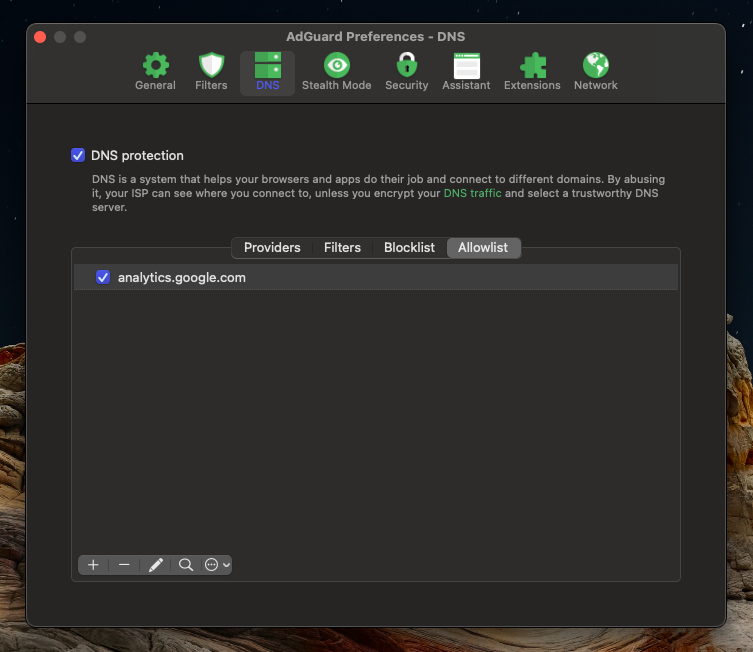
Follow these steps below to add analytics.google.com to your allowlist in Adguard DNS.
- Open the Adguard application on your device and navigate to Settings.
- Choose the “DNS” option at the top of the application screen.
- Choose “Allowlist” in the sub options of the DNS settings.
- Click on the little “+” icon at the bottom left to add a new item to your Allowlist.
- Enter “analytics.google.com” without any HTTP or www prefix.
- That’s it! You may view the analytics.google.com site, and other sites using Google Analytics won’t track you!
You may repeat these steps for each URL you want to bypass Adguard DNS filtering.
Want to get premium Adguard that can block in-app mobile ads and more. Click Here